Convert Guest to Customer
Turn guest orders into usable customer accounts without losing order history.
Convert guest checkout orders into customer accounts, connect past orders, and clean up account data without manual record matching.
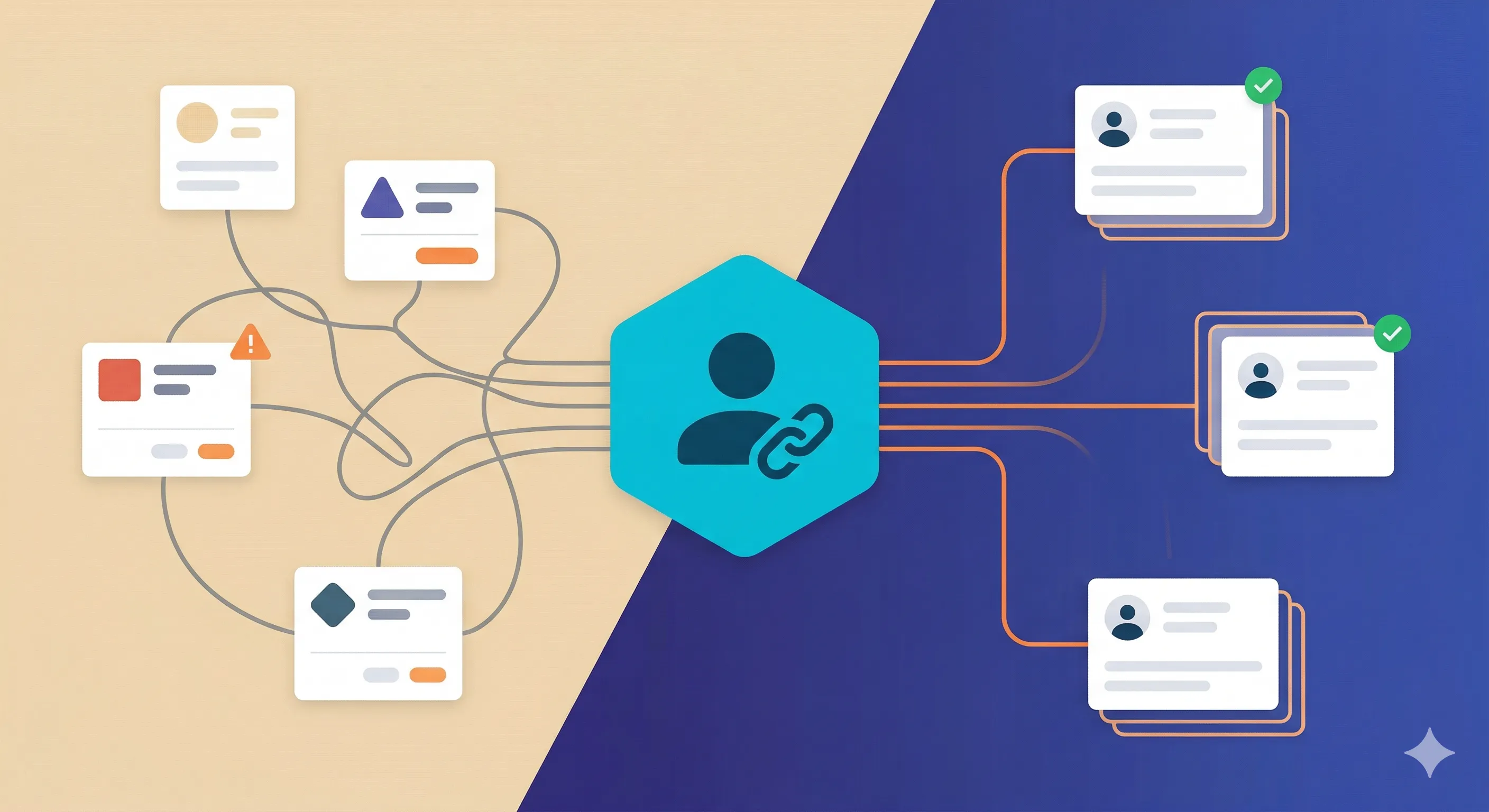
In Action
What Convert Guest to Customer looks like in the workflow
See how the plugin shows up for store teams: the admin screens, controls, and decision points that matter during real WooCommerce operations.
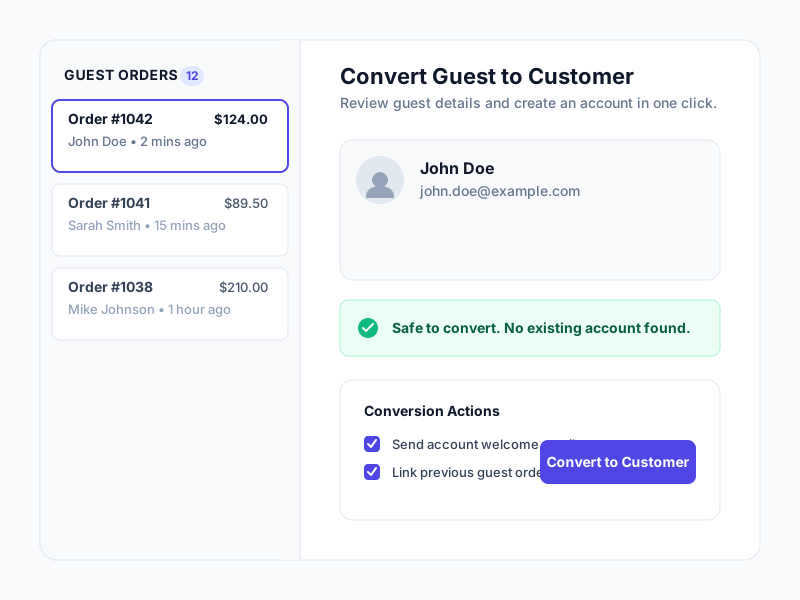
One-Click Guest Conversion
Convert guest checkout customers to registered users instantly with our intuitive dashboard interface. No complex setup required - just click and convert.
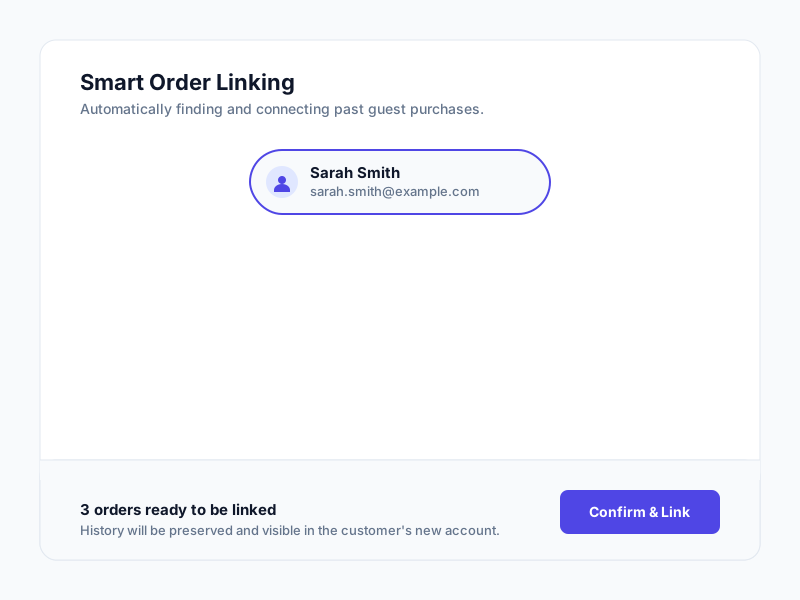
Smart Order History Linking
Automatically link all previous guest orders to newly created customer accounts. Your customers will see their complete purchase history immediately after conversion.
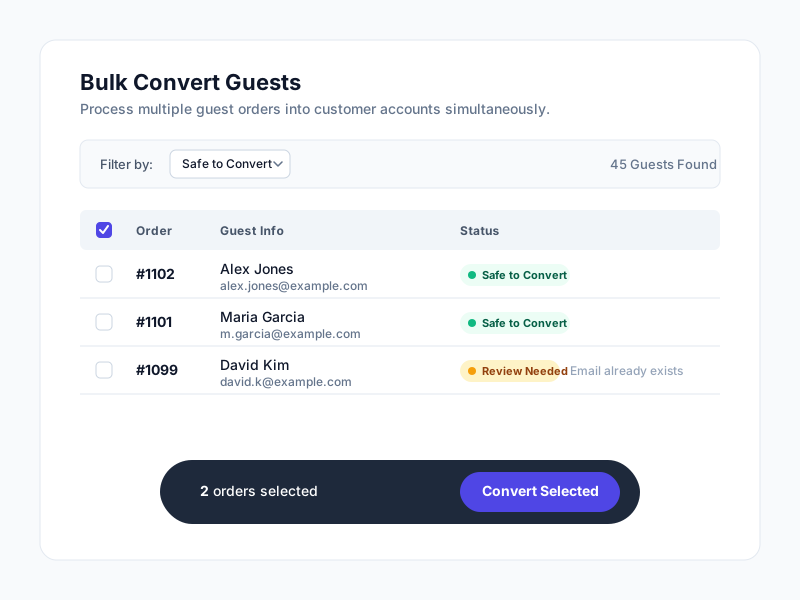
Bulk Conversion Tools
Process hundreds of guest conversions at once with our powerful bulk conversion tools. Perfect for migrating existing customer data efficiently.
Focused Workflow Capabilities
Review the concrete capabilities included in Convert Guest to Customer for production WooCommerce workflows.
One-click guest to customer conversion
Automatic order history linking
Bulk conversion tools for existing guests
Smart duplicate detection and prevention
Customer notification options
Order history preservation
Address book integration
Wishlist migration support
Email marketing integration
Comprehensive conversion reporting
Custom conversion triggers
Multi-site support
And 3+ more powerful features to explore
See Complete Feature ListWhy Choose Convert Guest to Customer?
The operational improvements this plugin is designed to provide.
Recover customer records that guest checkout would otherwise leave fragmented.
Make repeat-purchase, support, and lifecycle-email workflows easier to manage.
Preserve historical orders when creating accounts after purchase.
Reduce manual account cleanup for teams working through legacy guest orders.
Give customers a clearer account history once they register or are converted.
Create a cleaner foundation for retention and support work without forcing account creation at checkout.
Handle one-off conversions and bulk cleanup in the same workflow.
Improve account data quality without rewriting the guest checkout experience.
Next Steps
Keep moving through the right WooCommerce path
Use the supporting links below to compare options, learn the broader workflow, or scope a store-specific implementation path.
Support guest checkout with better post-purchase UX
This checkout strategy post covers when guest checkout lowers friction and where the account-creation step should move instead.
Browse the rest of the free plugin stack
See the other operational tools available on the free plugins page if you are tightening data quality and admin workflows across the store.
Talk through your retention or cleanup workflow
Use the contact page if you need to combine guest conversion with lifecycle email, CRM, or custom account logic.
Requirements
- WordPress 5.0 or higher
- WooCommerce 3.5 or higher
- PHP 7.4 or higher
- MySQL 5.6 or higher
Support & Updates
Ready to Tighten This Workflow?
Use the product details above to confirm fit, then contact us to plan setup, licensing, or a store-specific implementation path.