Admin Email Toggle
Enable or disable any WooCommerce email in seconds, right from the admin bar.
Stop digging through WooCommerce settings. This plugin adds a convenient menu to your top admin bar, letting you instantly toggle any email on or off with a single click.

In Action
What Admin Email Toggle looks like in the workflow
See how the plugin shows up for store teams: the admin screens, controls, and decision points that matter during real WooCommerce operations.
One-Click Control From Anywhere
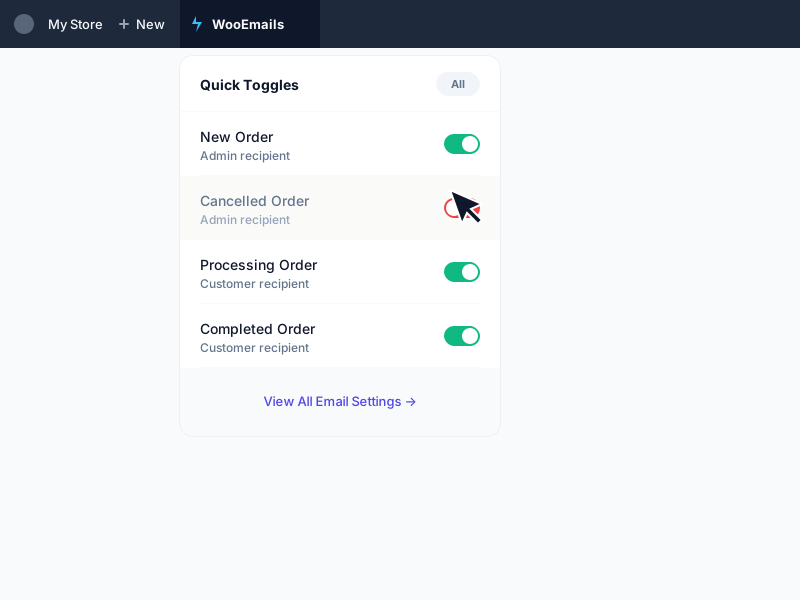
The clean dropdown menu lives in your admin bar, available on any backend page. It intelligently groups emails by source and shows their status with clear green (on) and red (off) icons.
Powerful Bulk Actions
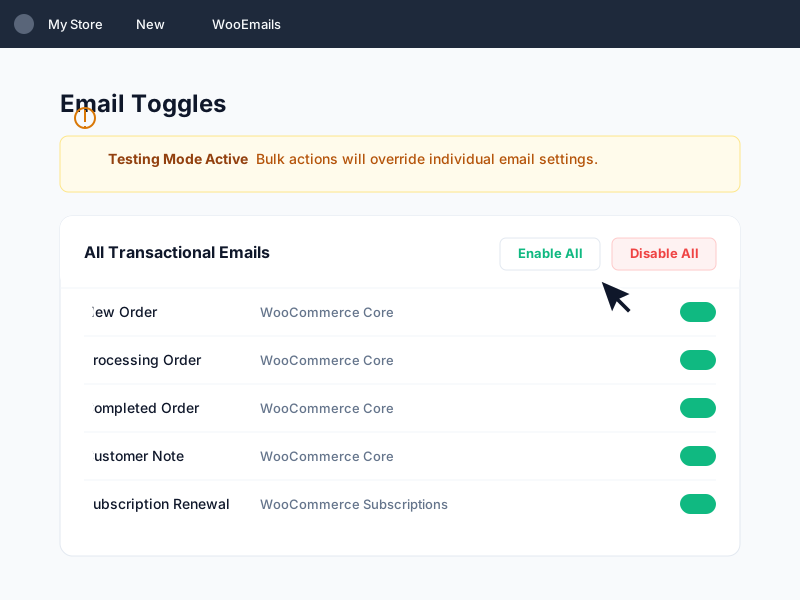
Need to silence all emails during a site migration or data import? The 'Disable All' and 'Enable All' buttons let you manage your entire email suite with a single click.
Grouped Email Source View
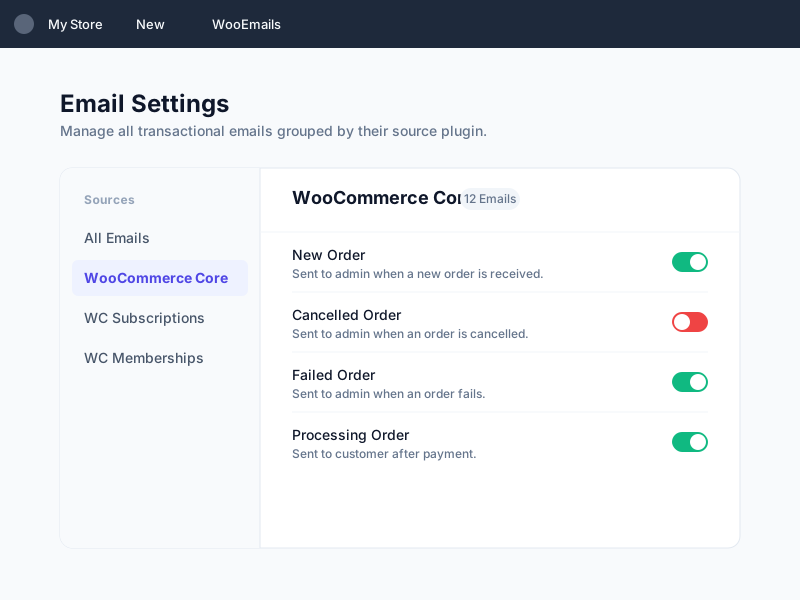
Core WooCommerce emails and third-party plugin emails are grouped cleanly, so you can scan status fast and toggle the exact message you need without digging through settings.
Focused Workflow Capabilities
Review the concrete capabilities included in Admin Email Toggle for production WooCommerce workflows.
Adds a 'WooEmails' menu to the WordPress Admin Bar
Toggle any email on/off with a single click
AJAX-powered for instant changes with no page reloads
Automatically groups emails by source: Core vs. third-party plugins
Bulk Actions: Enable or disable all emails at once
Clear status indicators (green for enabled, red for disabled)
Visible only to users with 'manage_woocommerce' capabilities
Why Choose Admin Email Toggle?
The operational improvements this plugin is designed to provide.
Save valuable time by avoiding the multi-step process of navigating through WooCommerce settings.
Instantly silence or re-activate all store emails for maintenance, testing, or bulk order processing.
Quickly find the exact email you need, even in complex stores with many extensions.
Streamline your development workflow by toggling emails on the fly while testing order statuses.
Enjoy a seamless, uninterrupted workflow without waiting for pages to reload.
Get a high-level overview of all your store's transactional emails in one place.
Next Steps
Keep moving through the right WooCommerce path
Use the supporting links below to compare options, learn the broader workflow, or scope a store-specific implementation path.
Keep utility plugins from turning into bloat
This plugin-audit article is the right next read if your store has accumulated lots of small admin tools over time.
Pair email control with other free store utilities
Browse the free plugin catalog if you are standardizing day-to-day admin workflows across the store.
Scope a broader WooCommerce admin workflow
Use the contact page if testing, import, or notification control needs a more custom operational setup.
Requirements
- WordPress 5.0 or higher
- WooCommerce 7.0 or higher
- PHP 7.2 or higher
Support & Updates
Ready to Tighten This Workflow?
Use the product details above to confirm fit, then contact us to plan setup, licensing, or a store-specific implementation path.